TypeScript
Codebase — a config-driven, GitHub-powered portfolio
About this Project
A fast, SEO-optimized, fully bilingual (EN/DE) developer-portfolio template with zero personal data in the repo — projects, skills, and identity are injected at build time from GitHub.
Everything (projects, skills, résumé, identity, legal pages) is injected at build time from your GitHub repositories and a single private config repo. Adapting it to your own portfolio is a matter of adding a topic to your repos and filling one config file; no code changes required.
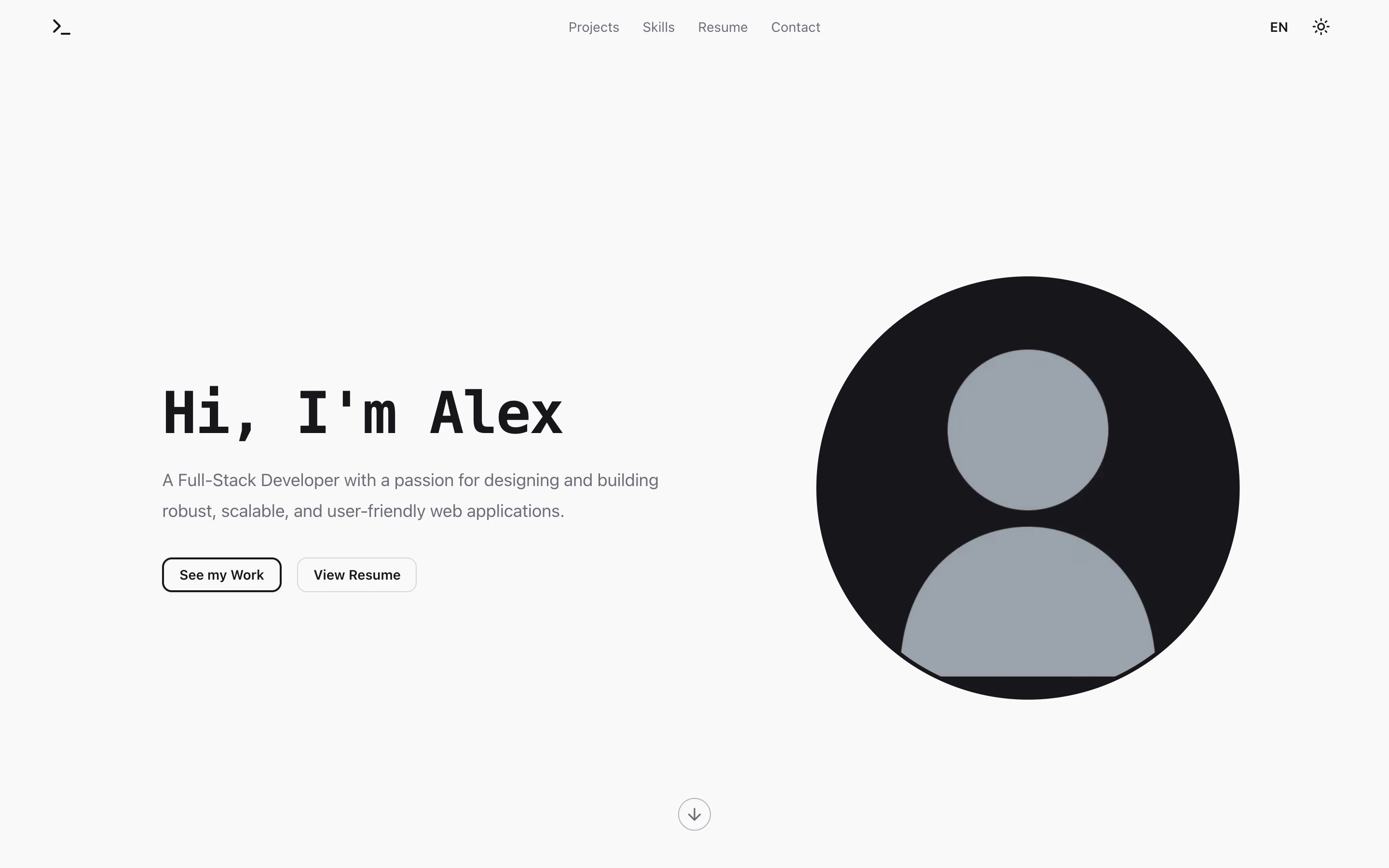
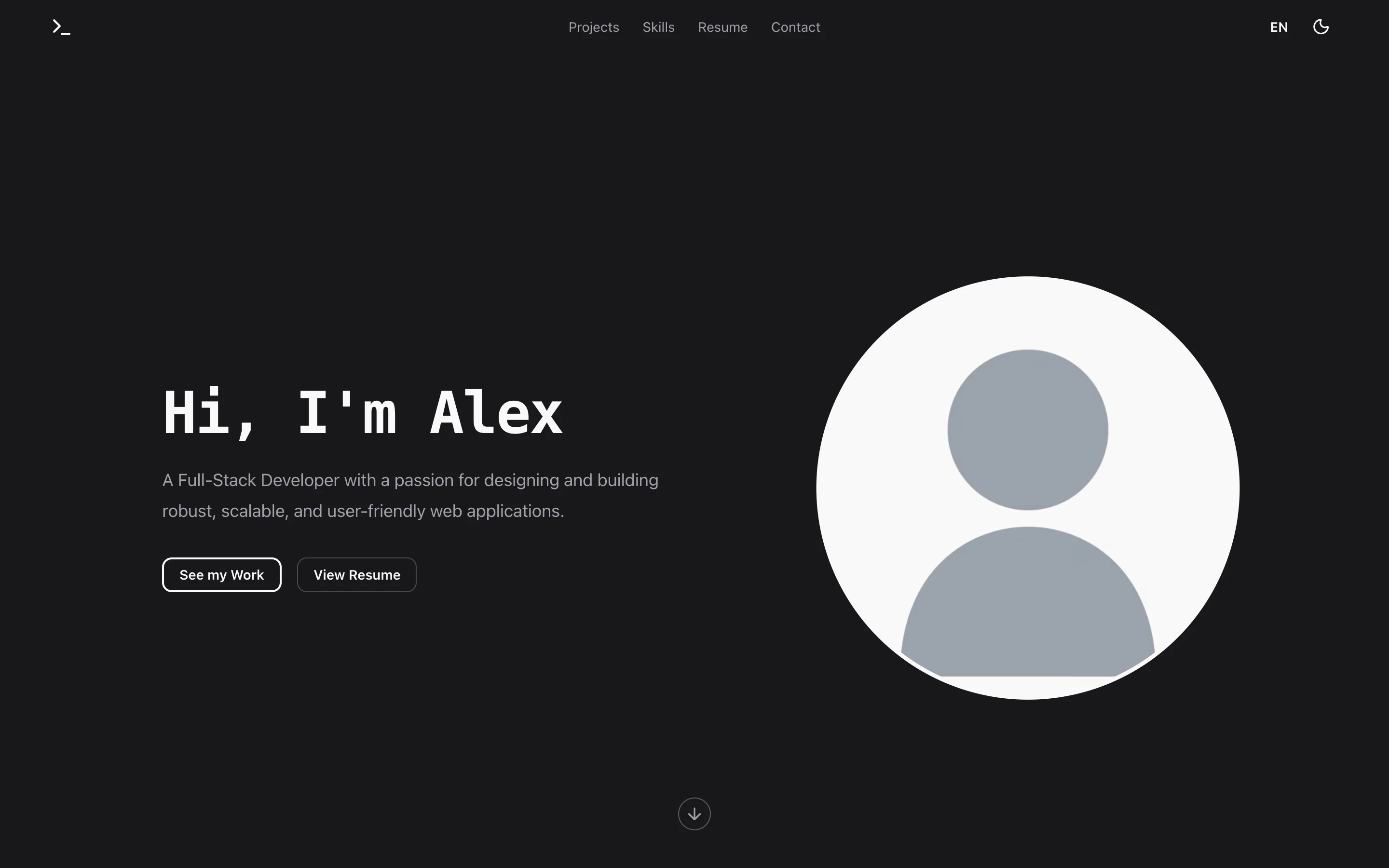
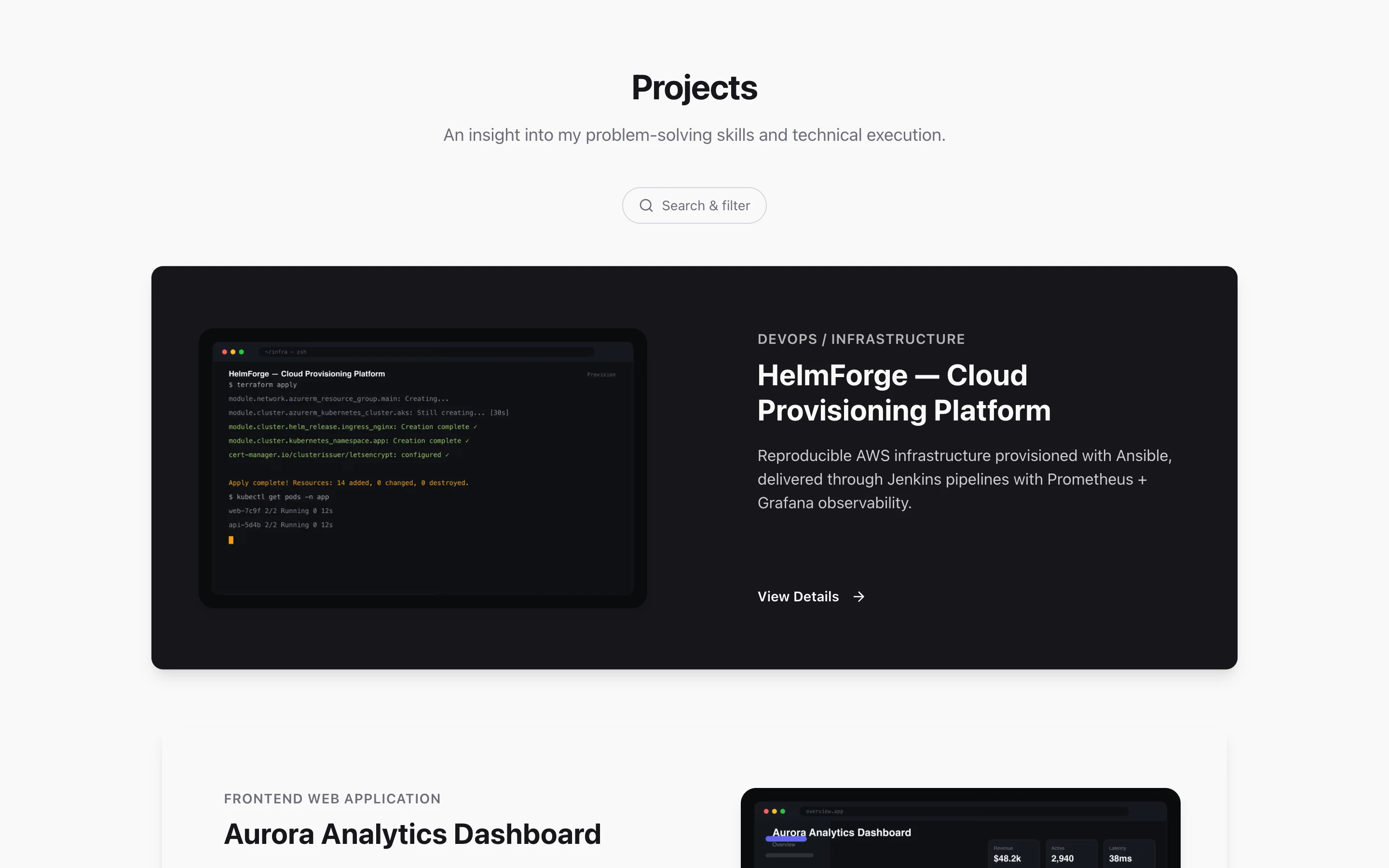
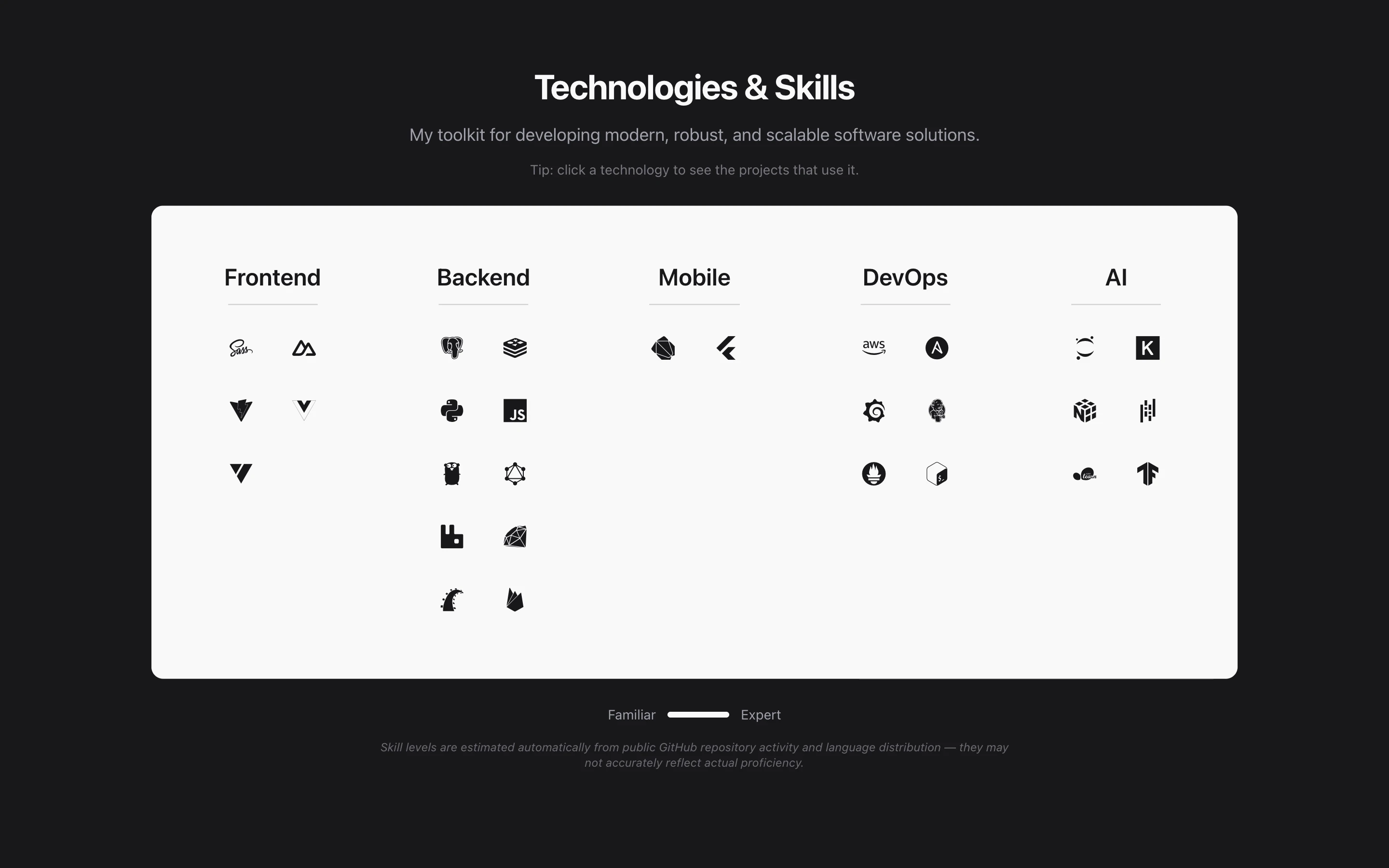
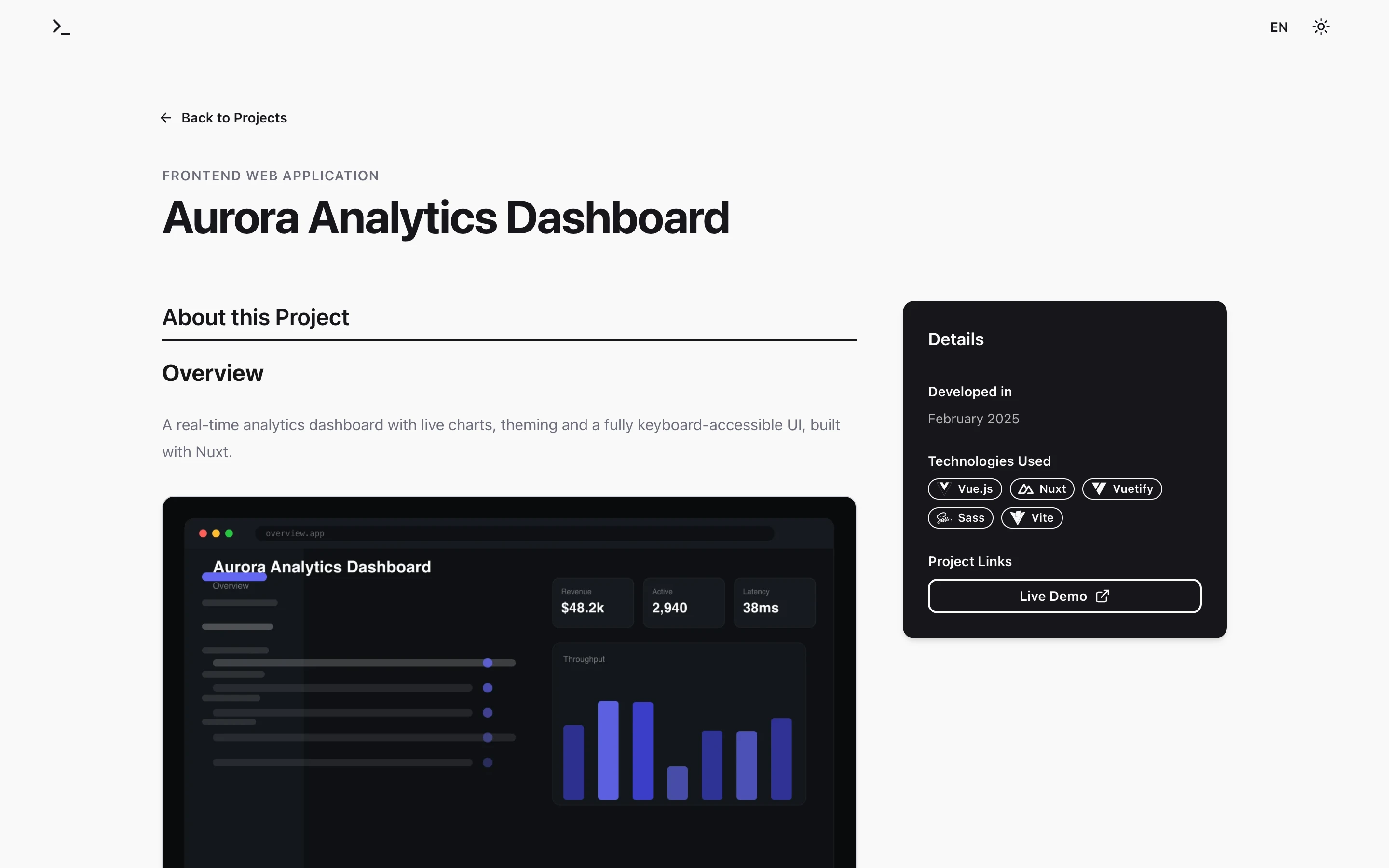
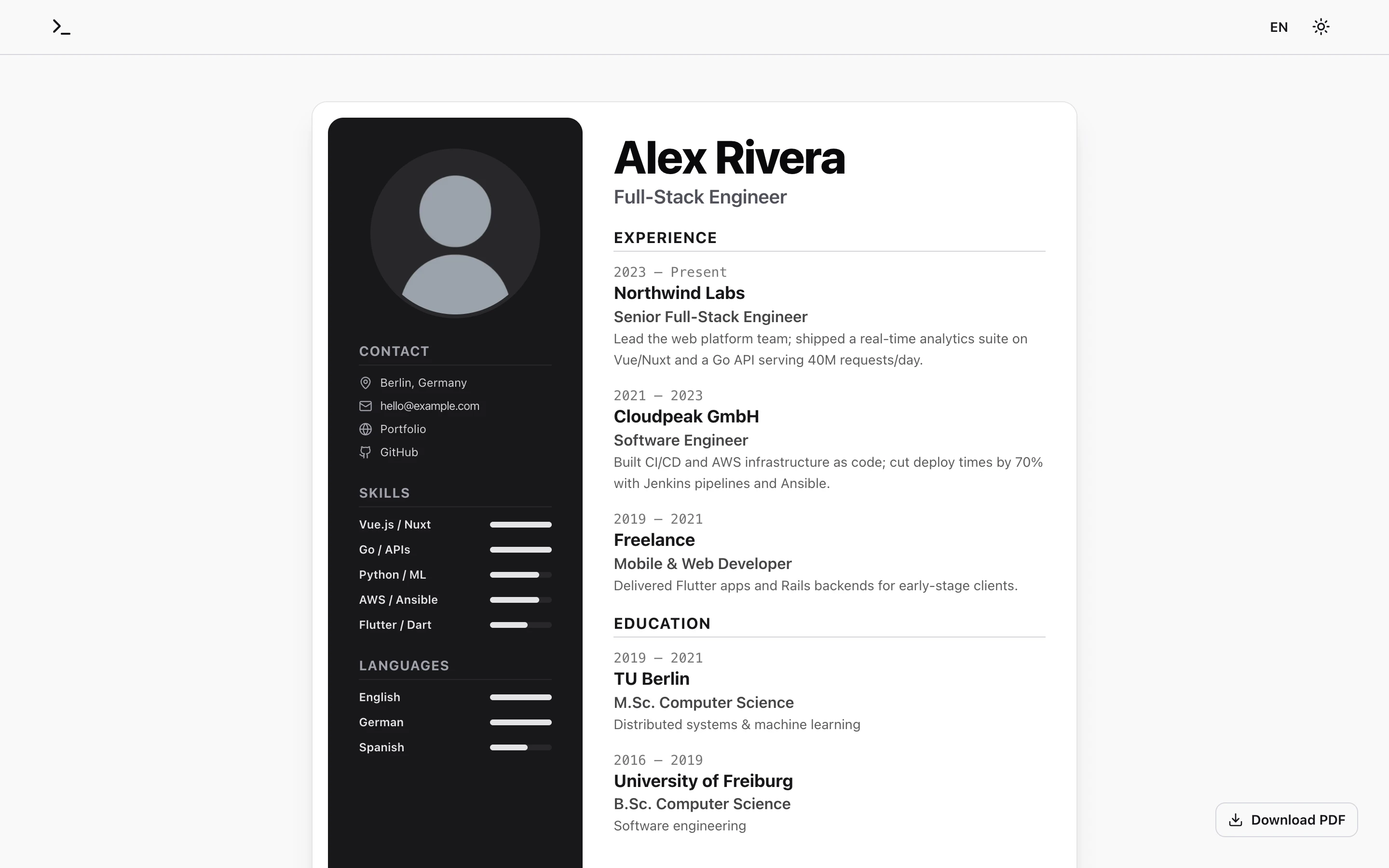
The screenshots above are rendered from the bundled demo dataset — no real data. Run the demo yourself with
PORTFOLIO_DEMO=1 npm run build.
Features
- Config-driven, zero personal data in the repo. Your identity, SEO, and the
legal imprint/privacy text all come from one
site.config.json. The published template ships only generic placeholders. - GitHub-native project import. A project is any repo you tag
portfolio(shown with a code link) orportfolio-private(shown without one). Its localizedREADME.md/README.de.mdbecomes the detail page, its description the card overview, and its topics the tags. No per-repo metadata files. - Fully bilingual (EN/DE) via
next-intl, with localized routes, résumé, project content, andhreflang/Open Graph metadata. - Dynamic tech icons. Tags resolve to devicon icons and doc links automatically (the full devicon manifest is merged with a small curated registry), so new technologies get an icon without any config.
- Relevance-ranked skills, derived from your real code (see below).
- Unified search & filter — one expandable control with category/technology tokens, ranked autocomplete, free-text search across every project field, faceted matching, and client-side pagination. Clicking a skill filters the projects that use it.
- Polished motion — scroll-driven theme-inverting project cards, and a custom rAF in-page scroll that survives layout shifts (hover, filtering) where native smooth-scroll would stall.
- Legal pages (imprint + privacy) generated from config, contact form (SMTP), and optional cookieless Umami analytics.
- Static output — everything is generated at build time; there is no runtime fetching, so the live site is just static files.
- AI-native Model Context Protocol (MCP) server & document generator. Built-in
/api/mcpendpoint connects AI assistants (Claude Desktop, Cursor, Antigravity) directly to your verified profile to generate tailored, single-page A4 résumés and matching cover letters with pixel-perfect PDF rendering (Puppeteer) and web previews. - Minimal Terminal LinkedIn Banner Studio & CLI Generator. A private visual
studio (
/banner) and offline CLI tool (npm run banner) for generating pixel-perfect 1584×396px LinkedIn background banners with zero window chrome, modular terminal building blocks (Name, Job Title, Skills, Link, Statusline), emerald CLI prompts matching the hero section, avatar collision clearance, and exact brand tokens. - Ghostty-style Monospace Terminal Hero. Landing header powered by JetBrains Mono
featuring a dynamic
Last login:banner that detects the visitor's operating system and device environment (macos,windows,linux,iphone,ipad,android), an initializing blinking block cursor with snappy downward drop, prompt lines (~ Nameand emerald❯ Job Title), smooth typing animations cycling through configurable roles, and fully selectable text across all elements. - Terminal & CLI Portfolio over
curl. Querying your live domain from a terminal (curl https://your-domain.com) automatically routes via User-Agent inspection to a rich, ANSI-colored terminal portfolio. Features Unicode box-drawing project cards, visual skill proficiency meters, subroutes (/projects,/skills,/resume,/contact,/<slug>), query flags (?plain=1,?json=1,?lang=de), and 3-tier rate limiting (Cloudflare, Traefik, in-app sliding window). - Bundled demo dataset so a clean clone (or a public live demo) renders a full, realistic site with no secrets.
How skill levels & relevance are calculated
At build time each project contributes to a per-technology score. Two numbers are derived:
1. Proficiency level (the 1–5 bar): a continuous score is accumulated per technology and bucketed into levels.
- A language contributes
(its share of the project's bytes) × project weight— only languages ≥ 5 % of the codebase count. - A framework / library / tool tag contributes the full
project weight. - An optional
baseScoreper technology can nudge the result. - Thresholds:
≥6 → 5,≥4 → 4,≥3 → 3,≥2 → 2, else1.
2. Relevance (ranking within a category, deeper than the level): used to order skills and keep only the top 12 per category so categories don't grow unbounded as you add projects.
relevance = depth            (the continuous score above)
          + breadth × 1.5    (number of distinct projects using it)
          + recency × 2.0    (recency = exp(−ageYears / 2), ~1.4-year half-life)
So a technology you used recently, across several projects, ranks above a one-off from years ago even at the same displayed level.
Data handling & architecture
portfolio-config repo (private, topic: "portfolio-config")   ← the ONE place you personalize
  .portfolio/site.config.json   identity, SEO, legal hosting/analytics
  .portfolio/resume.json        CV data for the /resume page
  .portfolio/profile.png        avatar
  .portfolio/resume.pdf         downloadable CV (optional)
        │  (fetched at build time, never committed to this repo)
        ▼
this template repo  ──►  npm run build  ──►  static, personalized site
        ▲
        │  project repos: add the topic "portfolio" (or "portfolio-private")
At build time, scripts/fetch-portfolio.ts:
- Lists your repos and selects the
portfolio/portfolio-privateones; reads each project's localized README (images downloaded & converted to WebP), the repo description, and topics. - Resolves personalization in order: config repo (auto-detected via the
portfolio-configtopic) → localconfig/→ committedconfig/site.config.example.json→ bundled demo dataset. - Aggregates skills (above) and writes
src/data/{projects,skills,resume,site.config}.json. - Next.js builds a fully static site from those files.
src/lib/config.ts exposes the resolved config as a typed siteConfig. A repo's
date can be corrected with an HTML comment in its README:
<!-- portfolio:date=YYYY-MM-DD -->.
Privacy: the generated data (src/data/*.json), the avatar, the OG image, and
project media are all gitignored — they never enter the published template.
Setup
cp .env.example .env.local        # add GITHUB_TOKEN (+ SMTP / Umami if needed)
npm install
npm run build                     # runs fetch-portfolio.ts, then next build
npm run dev                       # http://localhost:3000
A GITHUB_TOKEN (repo scope) lets the build read your repos and private config
repo. Without it, the build serves the demo dataset so a clean clone always
produces a full site.
Make it yours:
- Create a private
portfolio-configrepo, tag it with theportfolio-configtopic, and add.portfolio/site.config.json(seeconfig/site.config.example.json) +resume.json+profile.png. - Tag any project repo with the
portfoliotopic and give it aREADME.md(+README.de.mdfor German). Add other topics as tech tags. - Rebuild.
Running the demo
PORTFOLIO_DEMO=1 npm run build && npm start
Serves the committed demo/ dataset: 6 mock projects, a generic
persona, résumé, and on-brand mock screenshots. Regenerate the demo assets with
npx tsx scripts/generate-demo-assets.ts.
AI Assistant & MCP Integration (Tailored CVs & Cover Letters)
The portfolio includes an integrated Model Context Protocol (MCP) server at /api/mcp (Streamable HTTP / SSE transport). This turns your portfolio into an active capability for AI assistants: instead of manually copy-pasting résumé text into chats, AI agents (Claude Desktop, Cursor, Antigravity) can directly read your verified credentials and generate tailored, role-specific application documents that strictly adhere to single-page A4 layouts and your visual brand.
Connecting an AI Client
Add the server to your client configuration (e.g., claude_desktop_config.json or Cursor MCP settings):
{
  "mcpServers": {
    "portfolio-tailor": {
      "url": "https://your-portfolio-domain.com/api/mcp",
      "headers": {
        "Authorization": "Bearer YOUR_RESUME_MCP_API_KEY"
      }
    }
  }
}
(Authentication is optional; if RESUME_MCP_API_KEY is not set in .env.local, requests are permitted without authentication for local development).
Available MCP Tools & Prompts
| Tool / Prompt | Description |
|---|---|
| get_official_resume | Always call first. Fetches the authoritative candidate CV JSON currently published on the live site. |
| get_master_resume | Returns the extended master pool of all experiences, projects, and skills. |
| get_layout_guidelines | Outlines the strict single-page A4 constraints (character budgets, max items per section). |
| validate_resume_layout | Verifies proposed CV data against vertical height budgets before rendering. |
| generate_tailored_resume | Validates layout and renders a pixel-perfect single-page A4 PDF via headless Chromium, saving the variant with a 60-day retention period, and returning download & preview URLs. |
| get_cover_letter_template | Pre-populates a structured cover letter template with verified personal details, identical contact links matching the CV, recipient, position card, and avatar. |
| validate_cover_letter_layout| Checks cover letter text length against single-page vertical budgets. |
| generate_tailored_cover_letter | Renders an exact single-page A4 PDF cover letter matching the portfolio's visual styling (sidebar links, subtle position information card, signature, embedded avatar) with 60-day retention. |
| recall_application_materials | Interview Recall: Recalls submitted CV achievements, tailored work history, highlighted skills, and cover letter arguments for any company or role to prepare for interviews. |
| list_all_applications | Lists all active saved CV and Cover Letter applications, creation dates, 60-day expiration dates, days remaining, preview URLs, and download links. |
| prune_expired_materials | Manually triggers the cleanup engine to delete materials and PDFs older than 60 days. |
| get_download_link | Direct lookup tool for PDF download URLs and web preview links for any variant ID or the live website CV. |
| list_saved_variants / list_saved_cover_letters | Lists previously generated documents with metadata and download links. |
| generate_linkedin_banner | Generates a 1584×396px LinkedIn background banner tailored with a custom Job Title, name, portfolio link, skills, and statusline matching the minimal terminal theme with avatar safe zone clearance. |
| get_linkedin_banner_guidelines | Returns official LinkedIn banner dimensions (1584×396, 4:1), avatar safe zones, mobile cropping margins, and design rules. |
| prompt: tailor_cv_for_job | Step-by-step guided workflow for AI assistants to tailor the CV for any target job posting while guaranteeing single-page A4 constraints. |
| prompt: write_cover_letter_for_job | Step-by-step guided workflow for AI assistants to draft and render a matching cover letter. |
| prompt: prep_for_interview | Guided workflow for AI assistants to run a tailored mock interview preparation and briefing based on the exact application materials submitted to a specific company. |
LinkedIn Banner Generator & Terminal Studio
The portfolio includes a private LinkedIn Banner Generator studio accessible at /banner (unlinked from public navigation, disallowed in robots.ts), alongside an offline CLI tool (npm run banner), headless REST API (/api/banner/generate), and MCP tool (generate_linkedin_banner):
- Official Resolution & Specifications: Exactly 1584 × 396 pixels (4:1 aspect ratio), crisp monospace typography, under 8 MB, with zero window chrome (no artificial macOS window frames, titlebars, or traffic-light dots).
- Exact Brand Aesthetic: Monospace typography matching the site's
font-mono, rendered on exact portfolio theme tokens:- Dark Mode:
#18181b(zinc-900 background),#fafafa(foreground),#a1a1aa(muted tokens/brackets),#27272a(badges),#34d399(emerald-400 bold prompt symbol). - Light Mode:
#fafafa(background),#18181b(foreground),#71717a(muted tokens),#f4f4f5(badges),#10b981(emerald-500 bold prompt symbol).
- Dark Mode:
- Collision-Proof Safe Area Guarantees:
- Desktop Profile Picture Zone: Anchored with a 40px margin at
x = 380pxto ensure LinkedIn's 160px circular avatar (which overlaps the left0..340px) never collides with names, job titles, or tech tags. - Mobile Cropping Threshold: Right-aligned elements (Statusline, Corner Link) anchor at
x = 1400px, providing a safe 22px buffer inside mobile viewport bounds (maxX = 1422px). - Dynamic Centering: Recalculates total vertical stack height across enabled blocks and centers content around
y = 198px, comfortably withiny = 40..356pxsafe bounds. - Visual Safe Area Overlay: Optional guide overlay toggle in the studio to visually verify avatar and mobile safe zones.
- Desktop Profile Picture Zone: Anchored with a 40px margin at
Modular Building Blocks
| Building Block | Customization Options | Terminal Representation |
|---|---|---|
| Name | Toggle on/off · Name input · Prefix switch (~/ Name vs Plain) | ~/ Alex Rivera (path style) or Alex Rivera |
| Job Title | Toggle on/off · Title input · Prompt symbol (> / ❯ / $ / None) · Cursor Toggle (█) | > AI Engineer █ (bold emerald prompt matching the hero section) |
| Portfolio Link | Toggle on/off · URL input · Placement (Below stack vs Corner) · Format (↗ Arrow, curl, web:, Plain) | ↗ alexrivera.dev or curl alexrivera.dev |
| Skills & Tech Stack | Toggle on/off · Add/delete chips (×) · 1-click suggested skills · 5 Terminal styles (Blocks, [ ], · Inline, \| Pipe, stack:) | [Python] [PyTorch] or Python \| PyTorch or stack: Python · PyTorch |
| Tagline | Toggle on/off · Tagline input · Style switch (Plain vs # Comment) | Building intelligent systems & agents or # Comment |
| Statusline | Toggle on/off · Status text · Safe Top-Right anchor (x=1400, y=65) · 8 Selectable status icons | ● open to work (Green, Amber, Cyan, Star ✦, Bolt ⚡, Chevron ❯, Ring ○, None) |
CLI Generation & Batch Export
Generate banners directly from your terminal without opening a browser:
# Basic export with role and portfolio link
npm run banner -- --title "AI Engineer" --link "alexrivera.dev"

# Fully customized CLI export
npm run banner -- \
  --title "AI Engineer" \
  --name "Alex Rivera" \
  --link "alexrivera.dev" \
  --tag-style pipe \
  --link-style curl \
  --no-cursor \
  --status "open to work" \
  --theme dark \
  --out banners
Supported CLI options:
--title, -r: Job Title (default:AI Engineer).--name, -n: Candidate name (default fromsite.config.json).--link, -l: Portfolio or GitHub URL.--tag-style, --style: Terminal skill format (block,bracket,inline,pipe,kv).--link-style: Link format (arrow,curl,kv,plain).--no-cursor: Omit the█terminal block cursor behind the job title.--status: Text for the top-right statusline indicator.--skills, -s: Comma-separated list of skills (e.g.Python,PyTorch,Docker).--theme, -t:dark,light, orboth(generates dark and light variants).--guides: Render the banner with LinkedIn safe area overlay guides enabled.--out, -o: Output directory for PNG and SVG files (default:banners/).
Studio UX & Export Formats
- Single-Viewport Ergonomics: On desktop, the studio fits completely within
h-screen overflow-hidden, eliminating page scrolling between controls and live artboard. - Responsive Mobile Studio: Sticky top live preview artboard with touch-friendly inspector controls below.
- Export Options: 1x Standard PNG (1584×396 px), 2x Retina PNG (3168×792 px), Vector SVG, Direct SVG Clipboard Copy, and headless REST API (
/api/banner/generate).
Layout Restrictions & Description Size Budgets
Single-page A4 formatting is strictly enforced by layout budgets and CSS constraints:
| Category / Field | Max Characters | Recommended | Rationale & Layout Mechanism |
|---|---|---|---|
| Work Experience Summary | 200 chars | 120–160 chars | Rendered with CSS line-clamp-2 (~2 lines @ 14px font, ~68 chars/line). Longer text is truncated with .... |
| Education Area / Specialization | 90 chars | 30–65 chars | Rendered with line-clamp-2 (1–2 lines) to protect vertical height for experience entries. |
| Basics Headline | 55 chars | 30–48 chars | Rendered with whitespace-nowrap (20px font). Exceeding 55 characters clips past the right margin. |
| Position Title (CV & Cover Letter) | 50–55 chars | 25–45 chars | Fits on 1–2 lines without displacing vertical section spacing. |
| Company / Institution Name | 50–55 chars | ≤ 40 chars | Single-line bold entry header. |
| Skill Name | 24 chars | 10–20 chars | Rendered beside the 48px proficiency bar in the 182px sidebar. |
| Language Name | 20 chars | ≤ 15 chars | Fits beside the proficiency bar without wrapping. |
| Location | 35 chars | 15–30 chars | Single-line sidebar location with pin icon. |
| Cover Letter Total Body | 2,400 chars | 1,400–1,900 chars | Total text budget (~220–300 words) allowing balanced white space. |
| Cover Letter Paragraph | 550 chars | 300–450 chars | Individual paragraph cap (~4–6 lines). Paragraphs > 550 chars create walls of text and trigger page overflow. |
| Cover Letter Bullet Point | 160 chars | ≤ 120 chars | Capped to approx. 2 lines per bullet point. |
| Key Competency Badge | 30 chars | ≤ 20 chars | Pill badge width in cover letter sidebar. |
All limits are verified programmatically before PDF generation and communicated through the get_layout_guidelines, validate_resume_layout, and validate_cover_letter_layout MCP tools.
60-Day Retention & Interview Recall Engine
All generated CV and Cover Letter variants are assigned unique IDs matching the target company and role (e.g. 2026-10-02_stripe_senior-backend-engineer_a1b2c3d4 or cl_2026-10-02_stripe_senior-backend-engineer_a1b2c3d4).
- 2-Month (60 Days) Lifecycle: Variant JSON data and generated PDF artifacts are stored on the server for exactly 60 days.
- Automatic Pruning: Whenever variants are listed, created, or recalled, any records older than 60 days are automatically pruned from disk to prevent bloat.
- Interview Recall: Before job interviews, AI assistants can invoke
recall_application_materials(or theprep_for_interviewprompt) with just the company name (e.g.,"Stripe") to instantly recall the exact tailored summaries, technical bullet points, and pitch submitted.
Web Previews & Direct Downloads
Every generated variant receives unique URLs:
- Web Preview:
/[locale]/resume/preview/[id]and/[locale]/cover-letter/preview/[id] - Direct PDF Download:
/api/resume/download/[id]and/api/cover-letter/download/[id]
Terminal & CLI Portfolio (curl Interface)
Developers and terminal enthusiasts can browse your entire portfolio directly from their shell using curl, wget, or httpie without opening a browser. Next.js middleware inspects incoming User-Agent headers and request parameters to serve a colorized, ANSI-formatted terminal experience with Unicode box-drawing cards, visual skill meters, and syntax-highlighted summaries.
# Browse the complete interactive portfolio
curl https://your-domain.com

# Explore dedicated subroutes
curl https://your-domain.com/projects      # Boxed project cards with tech tags and URLs
curl https://your-domain.com/skills        # Categorized skills with visual proficiency meters
curl https://your-domain.com/resume        # Compact plain-text résumé / CV overview
curl https://your-domain.com/contact       # Direct contact channels, email, and socials
curl https://your-domain.com/<slug>        # In-depth project breakdown (e.g. /portfolio-template)
CLI Output Modes & Query Parameters
| Parameter / Header | Example Command | Output Behavior |
|---|---|---|
| ?plain=1 / NO_COLOR=1 | curl -H "NO_COLOR: 1" https://your-domain.com | Strips all ANSI colors and styling for plain-text terminal viewing or piped shell scripts. |
| ?json=1 / Accept: application/json | curl -H "Accept: application/json" https://your-domain.com | Returns structured JSON containing the candidate bio, skills, and projects for automation. |
| ?lang=de / /de/<route> | curl https://your-domain.com/de/projects | Delivers fully localized German terminal output (respects Accept-Language: de automatically). |
| ?cli=1 / /cli | Open in browser at https://your-domain.com?cli=1 | Forces the terminal output in regular web browsers that don't send a CLI User-Agent. |
3-Tier Security & Rate Limiting Architecture
To ensure high availability and protect the server against automated scraper loops or denial-of-service attempts, the CLI and public endpoints are guarded by three complementary layers:
- Tier 1 (Edge / Cloudflare): CDN-level DDoS mitigation, bot inspection, and global caching.
- Tier 2 (Reverse Proxy / Traefik): Configured via Docker Compose labels (
traefik.http.middlewares.app-rate-limit.ratelimit), enforcing an average limit of 100 requests/minute with a burst allowance of 50 requests. - Tier 3 (Application / Middleware): In-memory sliding-window rate limiter in
src/lib/rate-limiter.tsinspecting real client IPs (X-Forwarded-For,X-Real-IP,CF-Connecting-IP):- CLI Requests: 60 requests / minute per IP (returns an ANSI box card with HTTP
429 Too Many Requestsand standardRetry-Afterheader). - Contact Form: 5 submissions / 15 minutes per IP (protects SMTP relay from spam).
- General Web Traffic: 120 requests / minute per IP.
- CLI Requests: 60 requests / minute per IP (returns an ANSI box card with HTTP
Interactive Monospace Terminal Hero
The hero section (HeroTerminal.tsx) features a Ghostty-inspired terminal aesthetic:
- Dynamic Device Detection: Reads client platform and touch capabilities to format a realistic
Last login: <Date> on <device>banner (macos,windows,linux,iphone,ipad,android, orconsole). - Developer-Native Prompt: The terminal prompt displays the developer's first name (
~ Alex) for a concise, personal touch. - Snappy Motion Choreography: Initializing blinking block cursor, snappy downward reveal of prompt lines (
~ Nameand emerald❯ Job Title), character-by-character typing animation, and upward transition into the next role. - Full Text Selection: All terminal text (login banner, prompt symbols, name, and rotating roles) can be highlighted and copied cleanly with the mouse, while keeping the cursor glyph unselectable to avoid artifact characters.
- Configurable Bio Rotations & Modes: Roles cycle automatically with customizable timing in
site.config.jsonunderperson.bioRotationsandperson.bioRotationInterval. Useperson.bioModeto select between:"role"(default): Minimal prompt typing only the job title (❯ AI Engineer█)."full": Types the role and smoothly animates the synchronized description subline underneath (↳ [adjectives] [artifacts])."inline": Types the full sentence inline on the prompt line.
Deployment
GitHub Actions builds a Docker image, pushes it to GHCR, and triggers a redeploy
(.github/workflows/deploy.yml). GITHUB_TOKEN
is passed only as a BuildKit secret — never baked into an image layer. A public
live demo can be deployed with no secrets at all (demo mode kicks in).
Tech stack
Next.js 15 (App Router) · React 19 · TypeScript · Tailwind CSS · next-intl · Model Context Protocol (@modelcontextprotocol/sdk) · Puppeteer (Chromium PDF engine) · Framer Motion · sharp · nodemailer · Umami · Docker.
License
Distributed under the CC BY-NC 4.0 License. See LICENSE for details.